PocketChip设置中文环境
安装文泉驿正黑、文泉驿微米黑字体
sudo apt-get install ttf-wqy-zenhei
安装locales软件包
sudo apt-get install locales
配置locales软件包
sudo dpkg-reconfigure locales
界面中钩选上“zh_CN.UTF-8”
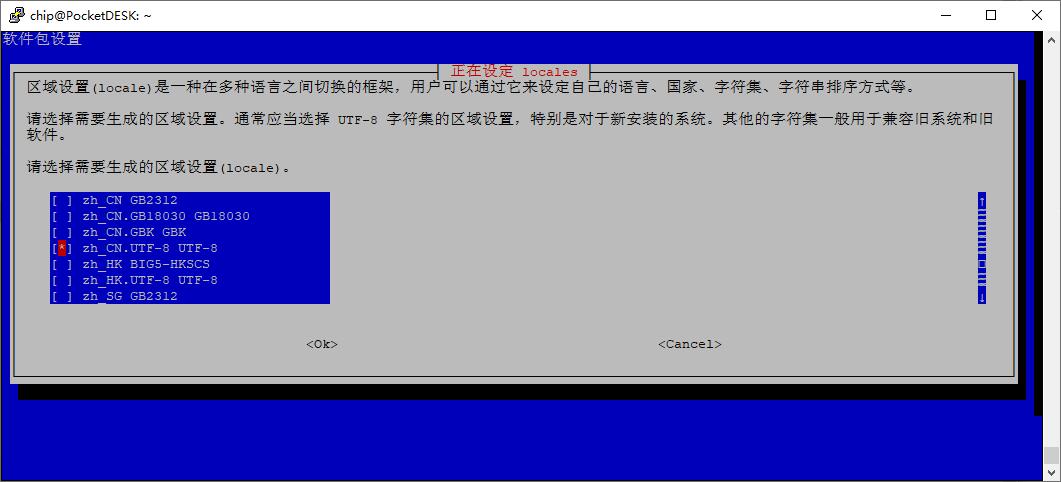
空格键选择 回车确认
默认的区域选“zh_CN.UTF-8”
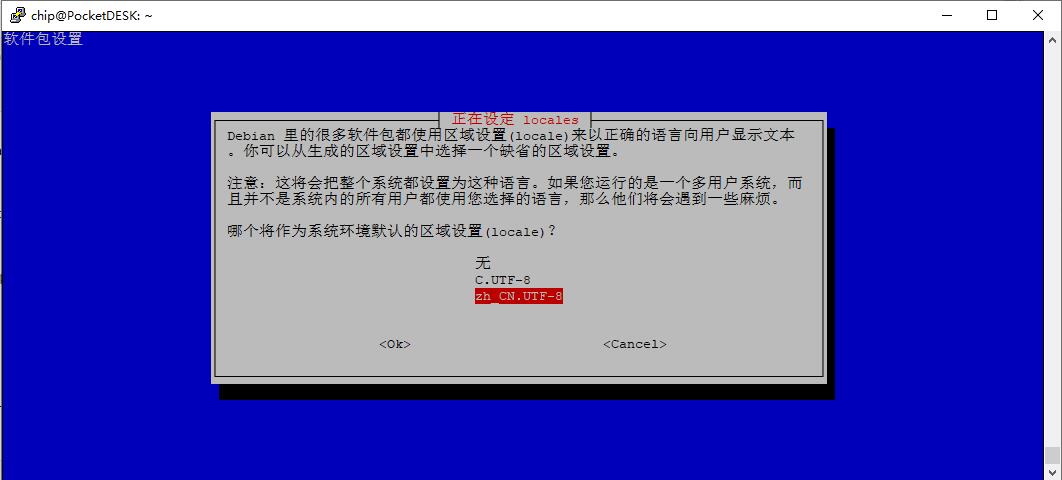
安装中文输入法
sudo apt-get install scim-pinyin
安装屏幕校准
sudo apt-get install xinput-calibrator
执行
xinput_calibrator
出现
Section "InputClass"
Identifier "calibration"
MatchProduct "1c25000.rtp"
Option "Calibration" "3980 226 3564 343"
Option "SwapAxes" "0"
EndSection
在终端内输入:sudo nano /etc/X11/xorg.conf
将上面的6行触摸相关的添加到这个conf里,或者只改那四个数字
按ctrl+o保存 ctrl+x 退出
最后重启
sudo reboot
评论 (1)
内容不错